



Wynter

A suite of tools for building with AI.

Funnels, web apps, micro-tools, features, video sales letters, task systems. Each one hands your AI a real blueprint to build from instead of a blank prompt — so you start from a plan, not a guess.

No password to set. We email you a sign-in link.

Wynter Jones

25 years building web apps

Twenty-five years of building web apps, most of it on the marketing side of the internet where the thing either converts or it doesn't.

Worked with Russell Brunson and Todd Dickerson on ClickFunnels Classic, and has since built MarketingSecrets.AI, Driven67 and BarnumPT.

Still shipping
GitHub contribution graph showing 6,607 contributions in the last year

What's in the suite

A Wynter.ai Account opens every one of them. The Suite plan unlocks the premium features inside, and AI credits are shared across the whole suite.

DoTheseTasks

Included in the Wynter.ai suite

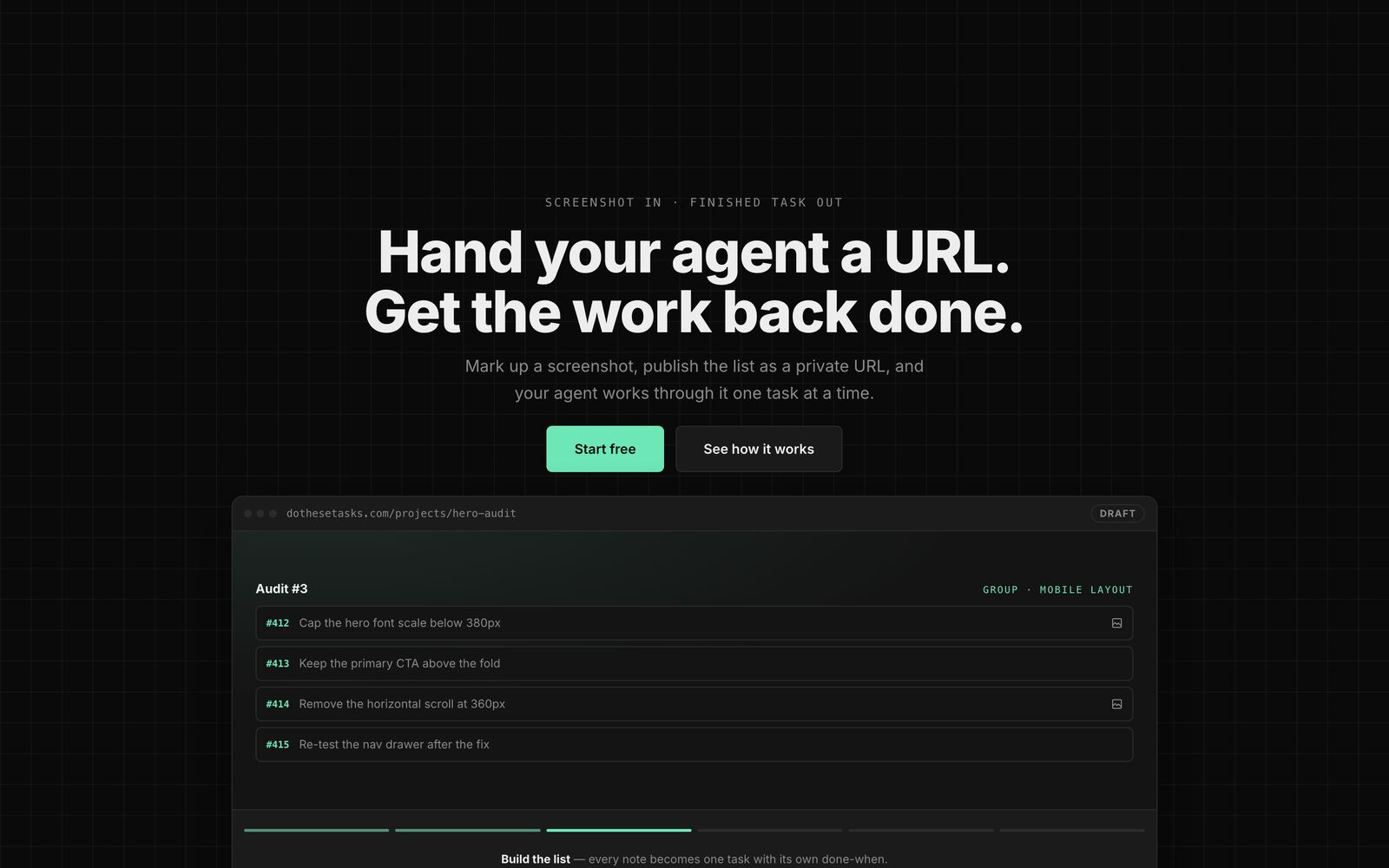
Hand your agent a URL. Get the work back done.

Mark up a screenshot, publish the list as a private URL, and your agent works through it one task at a time. Screenshot in, finished task out — no project manager in the middle.

Visit DoTheseTasks

dothesetasks.com

The DoTheseTasks editor, showing a marked-up screenshot beside its task list.
AddThisFeature

Included in the Wynter.ai suite

Your app works. Now make it better.

Stop losing days to features you have built a hundred times. Grab a link, hand it to your agent, and it builds the feature into the app you already have — your stack, your components, your design system.

Visit AddThisFeature

addthisfeature.com

The AddThisFeature catalog: a list of features beside a detail panel with what-it-does and how-it-works notes.

BuildThisWebApp

Included in the Wynter.ai suite

Plan the app. Then let AI build it.

A one-line idea turns into the brief your AI coder actually needs: research, PRD, design direction, mockups, and a copy-paste build prompt. Or start from a plan somebody already finished.

Visit BuildThisWebApp

buildthiswebapp.com

The BuildThisWebApp planner, showing a generated brief for a web application.
BuildThisFunnel

Included in the Wynter.ai suite

Your app knows the offer. Now build the funnel.

Pick a funnel type and hand one link to the AI builder that already knows your app. It gets the pattern, the edge cases, and the build checklist in a format it can actually use.

Visit BuildThisFunnel

buildthisfunnel.com

The BuildThisFunnel catalog: a list of funnel blueprints beside a detail panel with its copy-prompt block.
BuildThisTool

Included in the Wynter.ai suite

Your app has the context. Now build the tool.

The calculator, quiz, or scorecard your buyers would actually stop and use — specified down to the edge cases, ready to hand straight to your coding agent.

Visit BuildThisTool

buildthistool.com

The BuildThisTool catalog: micro-tool ideas beside a detail panel with its build spec.

Free & open source

Three tools I built for myself, then gave away.

No account, no plan, nothing to buy. They run on your own machine, and the source is there to read. They are not part of the suite — they are just what came out of building it.

Nabu.sh
Free & open source macOS & Linux Runs on your machine

Codex works in bursts. Nabu works the whole shift.

A local, always-on operator that owns your missions, queue, approvals and schedules, then hands the real work to Codex. It starts with your computer, keeps everything in ~/.nabu, and never opens a port to the internet.

$ curl -fsSL https://nabu.sh/install.sh | bash

Visit nabu.sh

127.0.0.1:7777

Nabu's chat, where a mission is steered and the agent reports back
OpenPaw
Free & open source Single Go binary npx, and it runs

Cats with jobs. The purrductivity layer.

Chat with agents that build real tools — compiled Go services, not prompts. Give them a job and they go and do it, hand work to each other, and keep your dashboards refreshing around the clock for zero tokens.

Two OpenPaw agents delegating a task between themselves in chat
Workbench
Free & open source Apple Silicon Signed & notarized

Your best work is rotting in a folder called test-2-final.

Workbench finds every project on your drive, runs the ones you trust, takes a real screenshot of each, and puts them all on one shelf. It is not lost. It was just unlabelled.

Visit workbench.wynter.ai

Workbench — Library

Workbench's library: 38 scanned projects, a commit heatmap, and filters across the top

Expert-level prompting

A real prompt. It worked first time.

wynter — building this page

pasted-image_339ad867.png can you centere these in theri boxes so it looks nicers

Three typos, no punctuation, and a screenshot pasted in the middle of the sentence. The boxes got centred. That is the bar now — you have to know what you want, not how to phrase it.

Which is roughly the idea behind all of this: hand the model something specific, and let it do the typing.

Pricing

Start free. Upgrade only if you hit the ceiling.

One plan for the premium layer in every app, and metered credits bought separately. No per-app tier, no seat count, and no annual lock to get the real price.

Free

$0 forever

Enough to actually ship something.

  • Every app in the suite, open
  • The full catalog in each one, free to read and copy
  • A Wynter.ai Account across all of them
  • No card, no trial clock
Unlocks every app

Wynter Suite

$28 /month

Premium in every Wynter app, for one monthly price.

  • Everything in Free
  • Site scans — five picks written for your own offer
  • Customise any blueprint to your stack
  • Collections and saved work
  • Cancel any time, keep your work

Credits

$5 and up

Metered AI usage. Shared across every app, and it never expires.

  • 500 credits $5
  • 1,500 credits $12
  • 5,000 credits $35

Bought separately from the plan on purpose, so you are never paying monthly for usage you did not have. Free and paid accounts buy the same packs.